
Business requirement: Often we use Power Automate as a low code automation tool and the number of steps within the Power Automate can increase significantly. To maintain counts of such actions is an important ask for IT teams. Today in our example I would take you through a flow where we can get the count of Update steps in a particular flow via Power Automate.
Steps below:
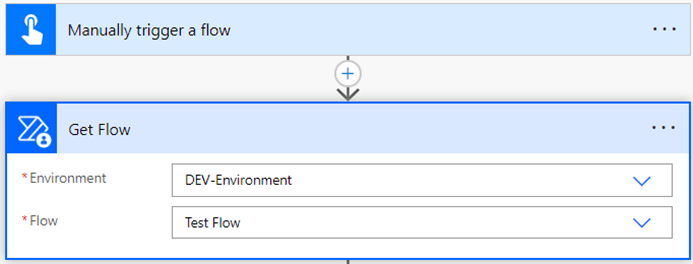
- Here we are using the “Manually trigger a flow” for triggering this flow.
- Add “Get Flow” action from Power Automate for Admins.
- Select the environment and Flow name from the dropdown.
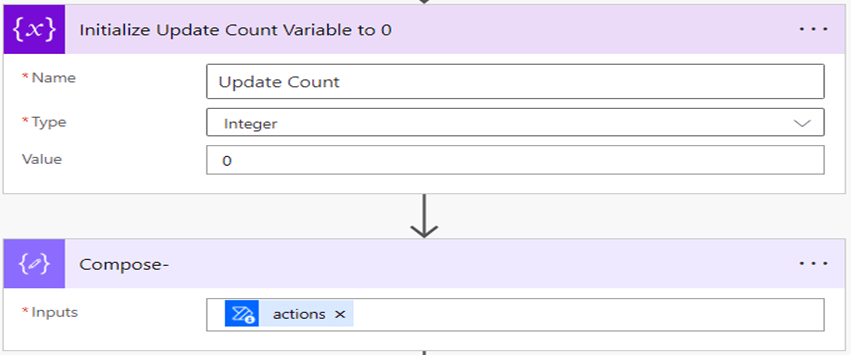
- Now add “Initialize variable” action.
- Give a title to a variable, here we gave a “Update Count.”
- Select type as “Integer.”
- And add “0” in value.
- Now add compose action and in “inputs” add dynamic content of “actions” from get flow.
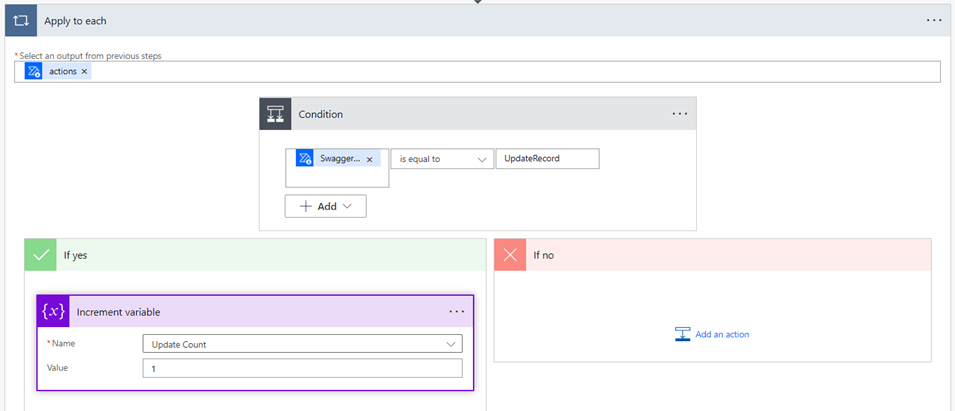
- Now add a condition for filter “swaggerOperationId” which contains “UpdateRecord.”
- Add “Increment variable” in yes condition, select “Update Count.”
- In value increment the variable by 1.
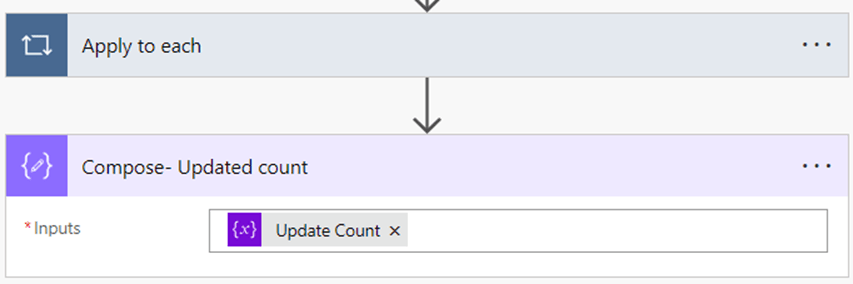
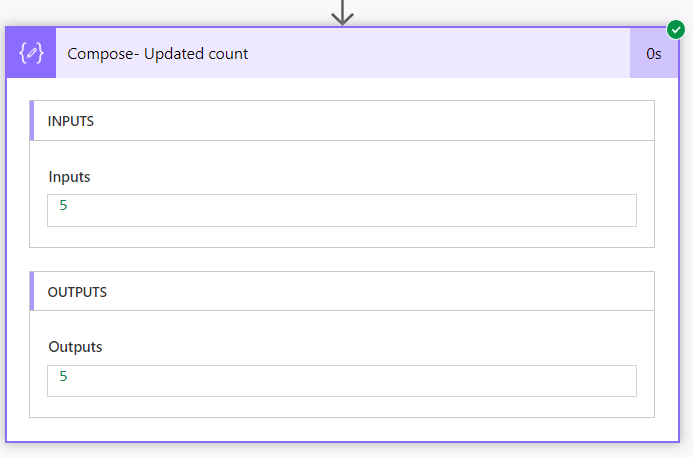
- Now add the “Compose” action.
- Use dynamic content of “Update Count.”
- Now save and test the flow.
Hope it helps!
Thank you.

 Power Spark
Leave a comment