
Microsoft has released a new preview feature on showing modern share on Views and Dashboards. Today, we will explore this feature:
Step 1: Go to Power Platform Admin Center >> Environment >> Settings >> Collaboration and enable Show modern share on Views and Dashboards(preview) and turn it to On.
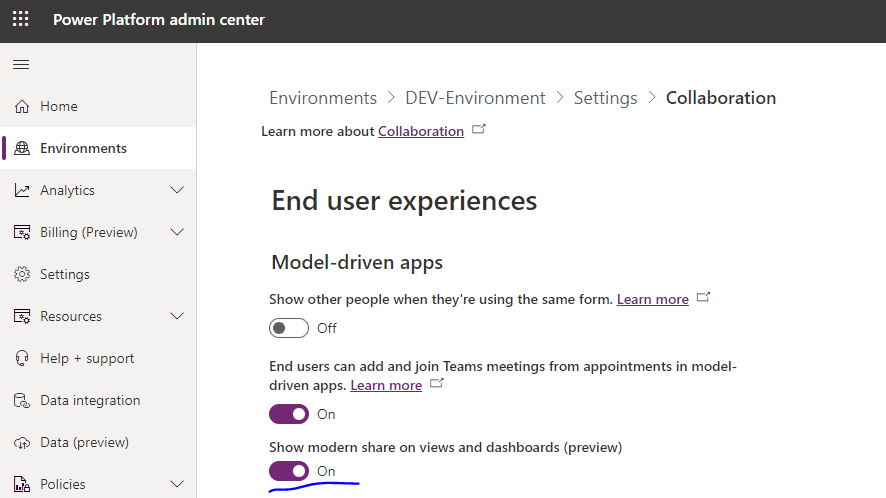
Scroll down and hit Save.
Step 2: Let us see the feature in action in Customer Service Hub App and Navigate to Accounts.
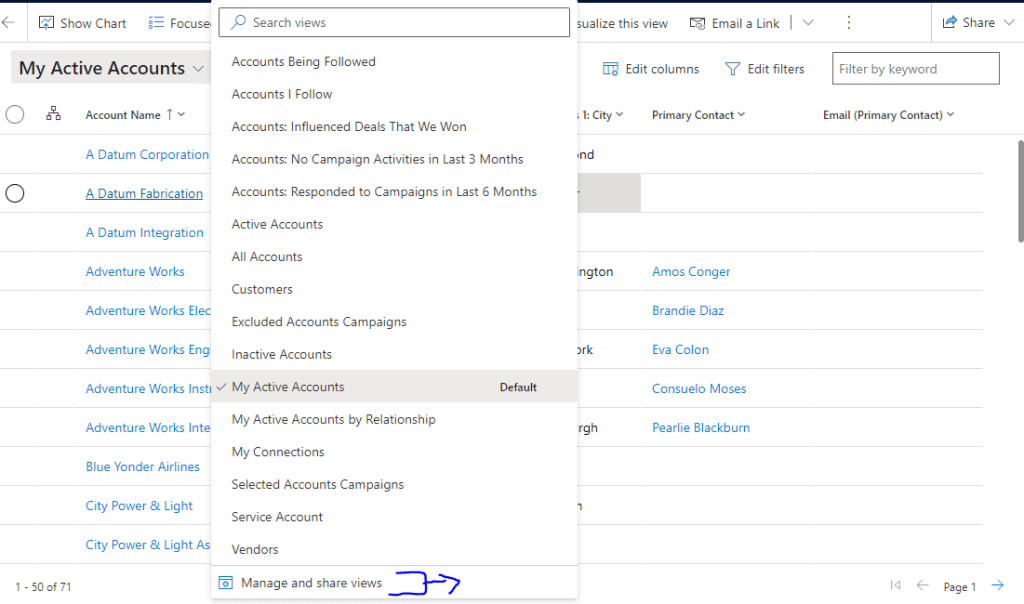
Here, I have a saved view named “Active Accounts in Redmond”. Select the View selector, and select “Manage and Share views”:
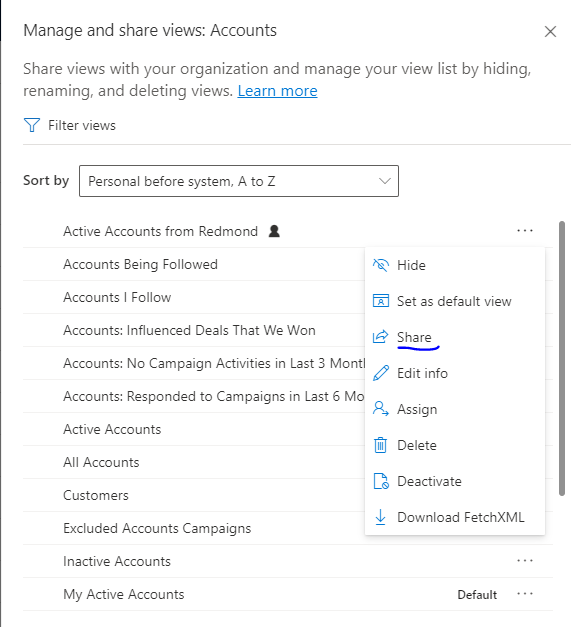
Step 3: Locate the intended view and click on … Click share
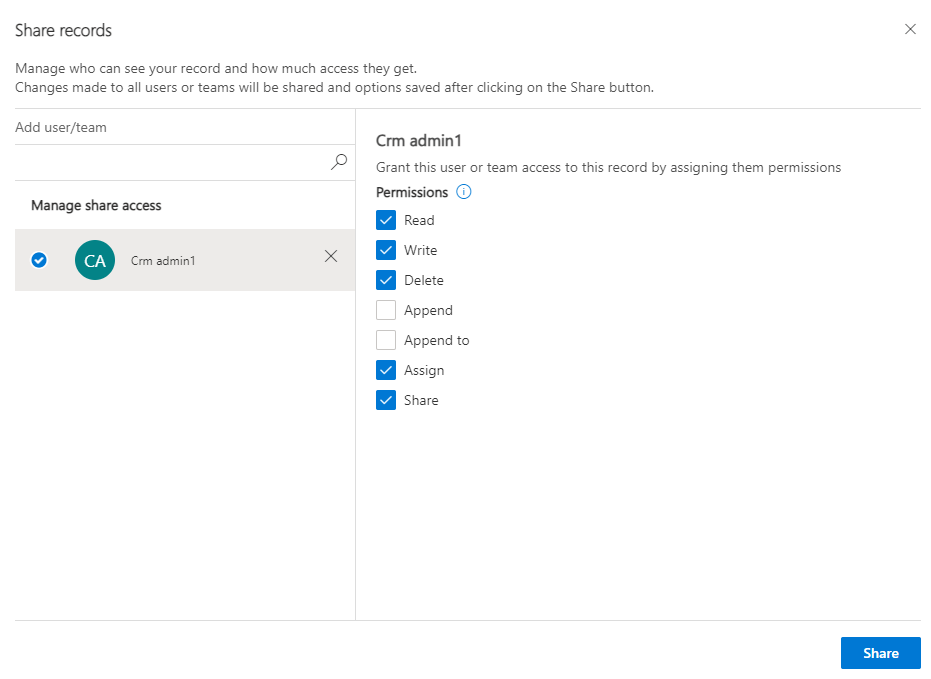
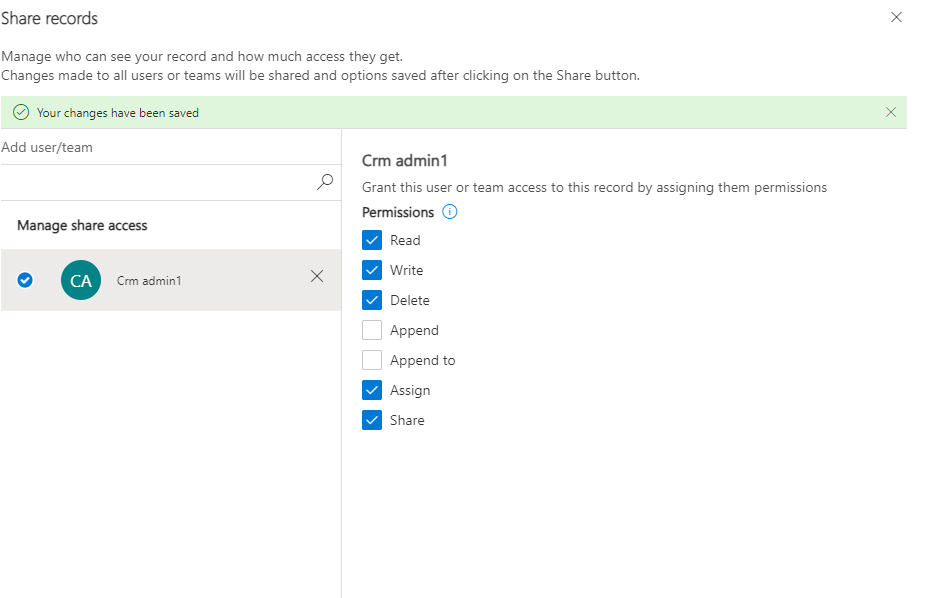
Step 4: Select the user required, give the appropriate privileges and Click Share:
As you can see, once done a success message will be visible:
Similarly, sharing can be applied on Personal Dashboards.
Hope it helps.
Thank You! 🙂
#Let’s learn together

 Power Spark
Leave a comment