
Namaste Everyone,
Hope you all are doing good!
So, we are back with one “Quick Tip”.
You might come across a situation where the users may not be able to view or access a particular Model Driven App in an Environment. So, in this blog, we will learn how to quickly check the access of a respective user using their email address.
Please follow below steps to find root cause of a problem:
- Login to Dynamics 365 environment using your credentials.
- Navigate to the environment and copy the URL of your environment.
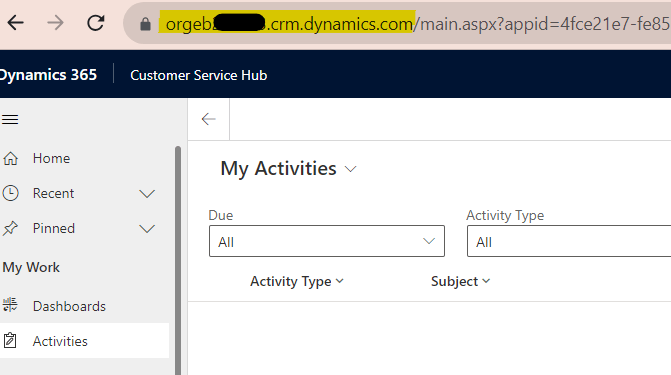
- Append the following webresource string to the URL you have copied above.
/WebResources/msdyn_AppAccessChecker.html
- Final URL looks like below:
https://orgeb2ce683.crm.dynamics.com/WebResources/msdyn_AppAccessChecker.html
- Kindly copy and paste the URL in the same browser where you have logged in to Dynamics 365 CE account. You will then see following HTML page:
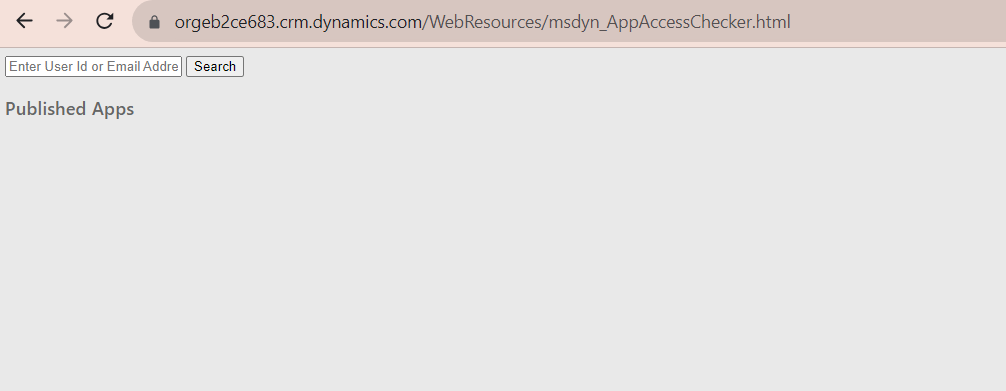
- Enter the email address of respective user of whom you want to see the access and then click on Search.
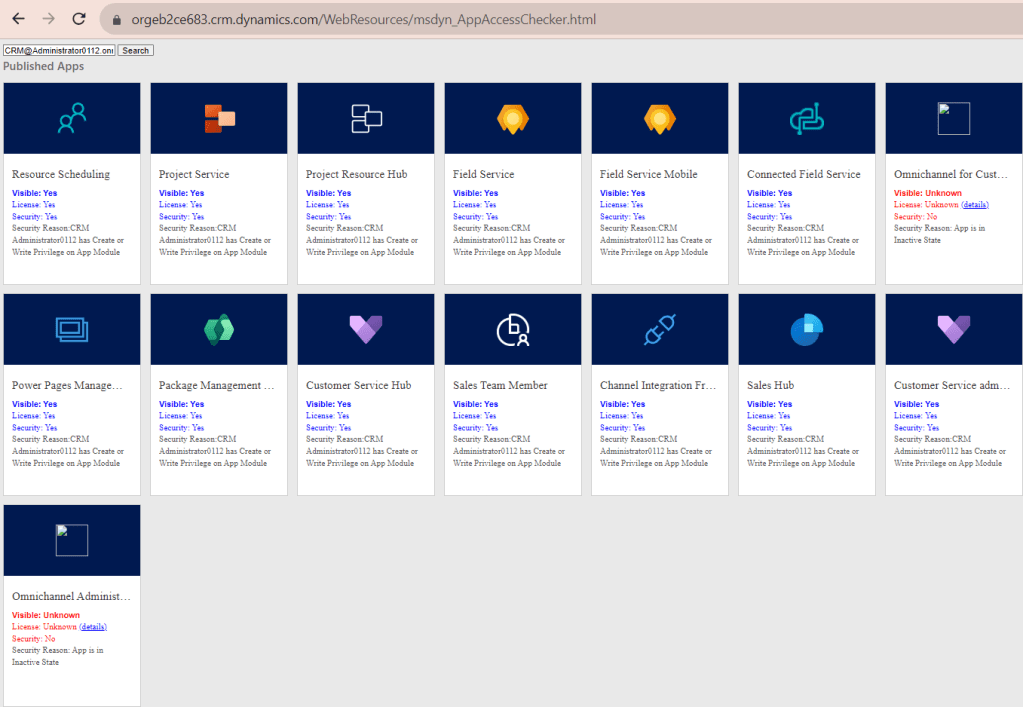
List of all the available Model Driven apps, which has access to the user will be shown as above. You now may easily see visibility, Licensing, Security, Privileges etc. assigned to respective user.
Hope it helps!
Thanks for reading!
#Let’s_Learn_Together
Stay tuned with Power Spark for continuous learning.
Thank you 🙂

 Power Spark
Leave a comment