
Namaste Everyone,
So, today we found something cool in Dataverse that isn’t widely talked about – it’s called the Masking Rule. This feature is like a secret agent for your data, helping you hide things based on certain patterns. Imagine you have info like emails, credit card details or bank account details that you want to keep super private, masking rule is here to help you out. 👀✨
The Use Case:
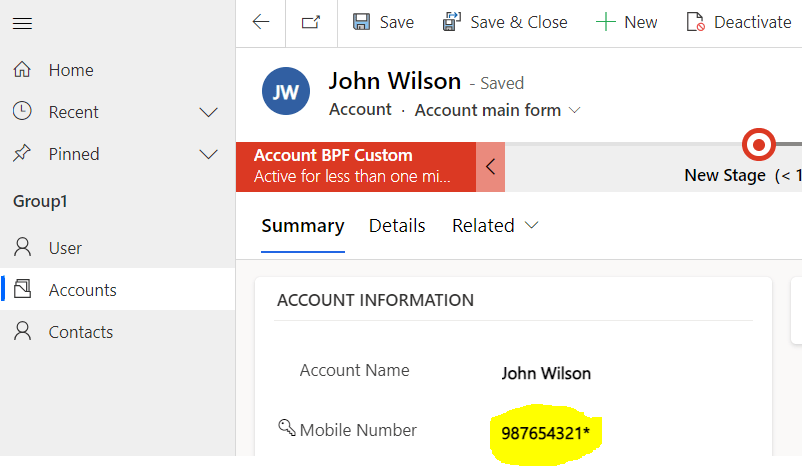
For the ‘Account’ entity, the last digit of the mobile number field needs to be replaced with a symbol (*).
Steps to apply a masking rule to any field:
To create a masking rule, here we took a stroll to the “Advance Find” section, searched for “Masking Rule,” opened a record, and whipped up a new masking rule.
Note: In masking rule, “Name” should start with a letter, and the rest of the characters can be Letters, Numbers, Underscore (_), Curly Braces ({ }), and Exclamation Mark (!)
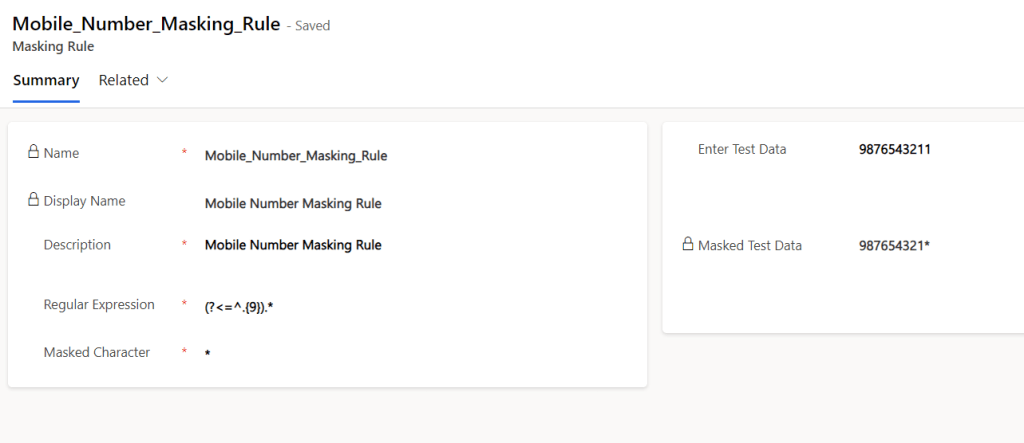
As you can see above, we’ve made a regular expression using “(?<=^.{9}).*” that reveals the first 9 numbers of the mobile phone and hides the last digit by replacing them with ”*”
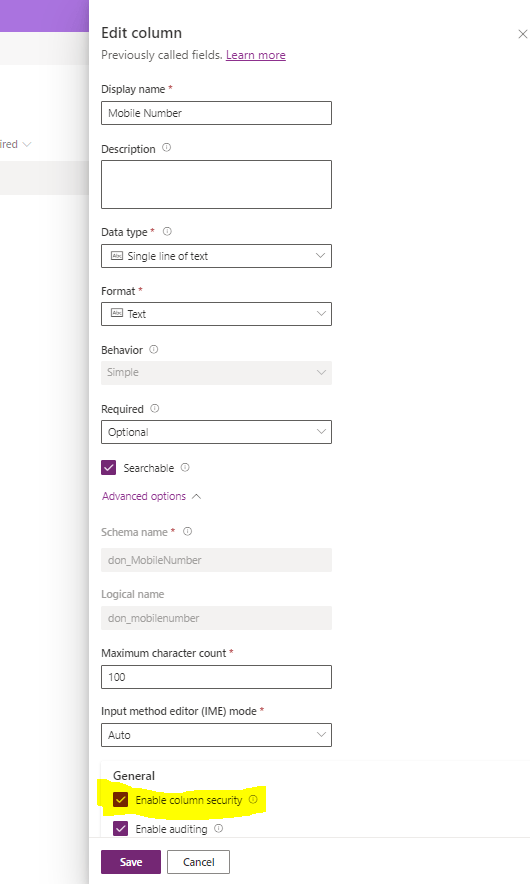
Next, create the attribute or field where you want to apply the masking rule. Make sure to turn on column security. We’ve made a mobile number field for this example and turned-on column security.
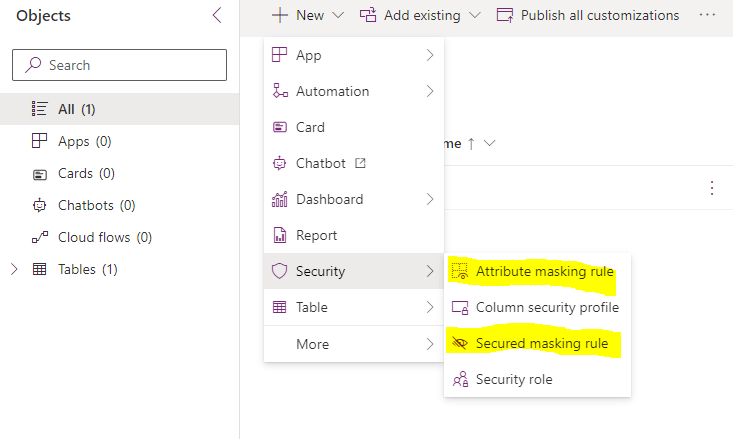
Now, all you have to do is set up an Attribute masking rule. To apply the Attribute masking rule, just open the solution, navigate to ‘New’ -> ‘Security’ -> ‘Attribute masking rule’.

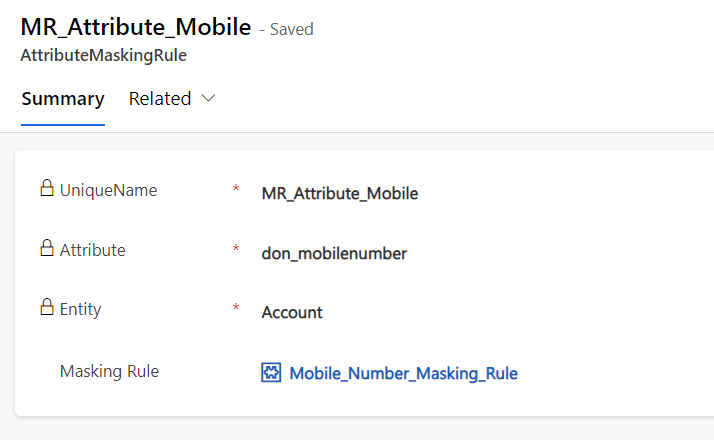
Here, we provided required field logical name to Attribute, specified the entity name, and selected the masking rule we created.
You can see it’s working below:
In Microsoft setup, they’ve thrown in some examples of Masking Rules for you to play around with. Just go to “Advanced Find” and look for “Masking Rules.” So, go ahead, explore, and see how you can make your data dance to your tune! 🕵️♂️🎭

Since this is a new and not widely explored feature, please refer to the link below for more information and explore it:
Attribute Masking Rule :
https://learn.microsoft.com/en-us/power-apps/developer/data-platform/reference/entities/attributemaskingrule?WT.mc_id=DX-MVP-5004571
Create and manage data masking rules:
Happy Learning!
Hope it helps!
#Let’s_Learn_Together
Stay tuned with Power Spark for continuous learning.

 Power Spark
Leave a comment