
Namaste everyone!
In this blog post, we’re unveiling a new feature by Microsoft that’s still in preview mode but incredibly helpful – the ability to restore deleted records from Dataverse.
Until now, we’ve relied on tools like XrmToolBox to accomplish this task, often requiring the audit log to be enabled. However, with this new feature, even enabling the audit log is not required.
Let’s proceed to explore this feature.
In my scenario, I will delete few records from the account table and then restore them. Additionally, in the snapshot below, you can see that the audit log is disabled for the account table.
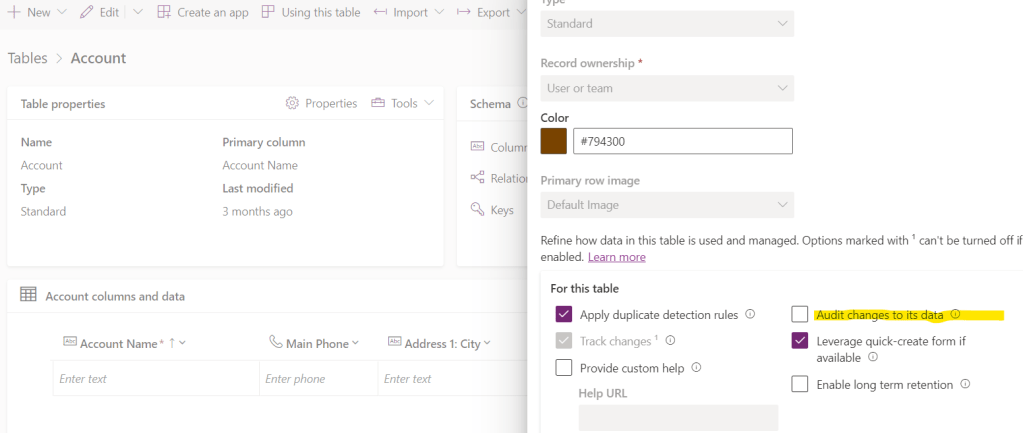
Deleted records are often moved to the recycle bin before they are permanently removed. To restore all the records, we need to enable the ‘Recycle Bin’ feature.
Steps to enable this feature:
- Visit Power Platform Admin center ( https://admin.powerplatform.microsoft.com ).
- Select relevant environment.
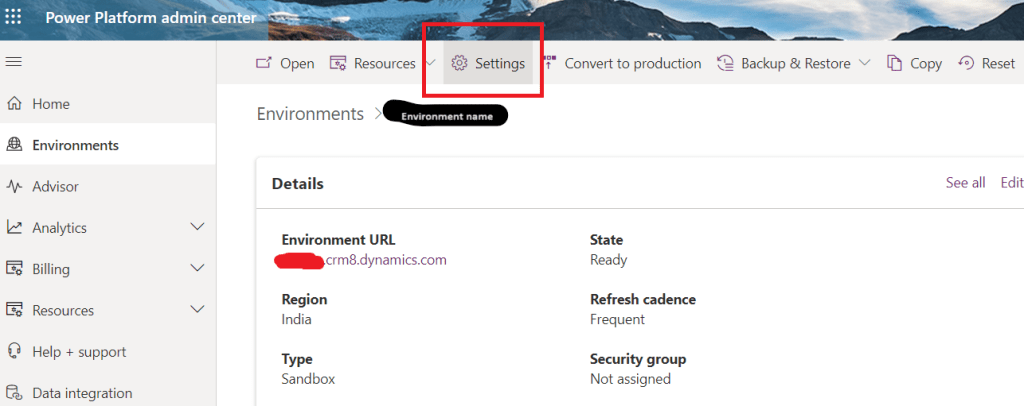
- Now go to Settings
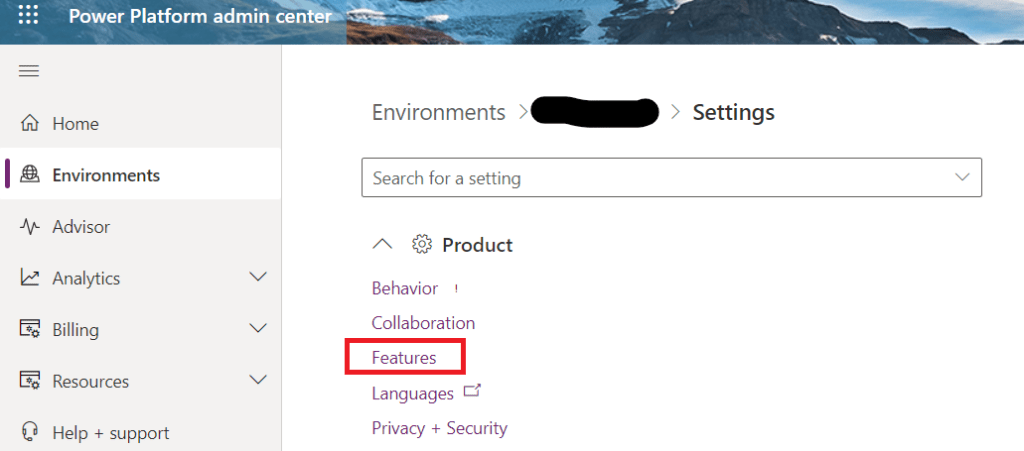
- Expand this product section and select features as marked in below snap:
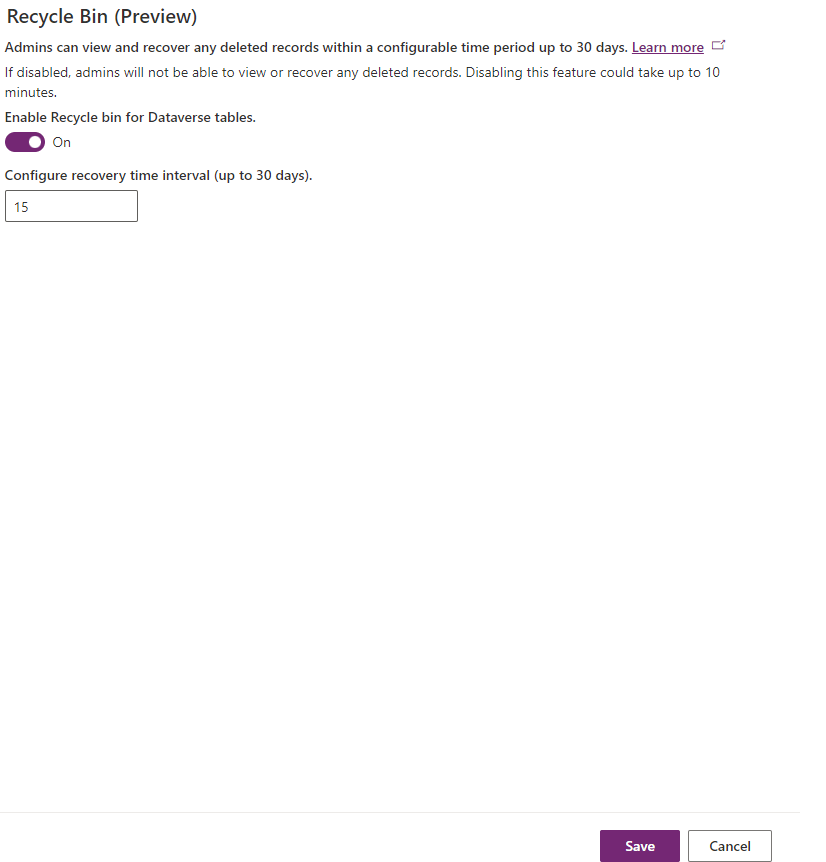
- Scroll all way down, in the last right section you will be able to see Recycle Bin (Preview), turn on the toggle button to enable this feature.
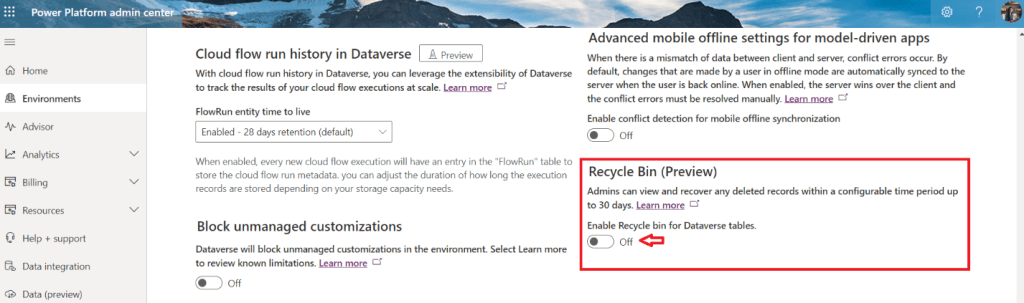
- Once you enable this feature you can also configure recovery time interval and click on save.
- Now let’s delete the records from account table.
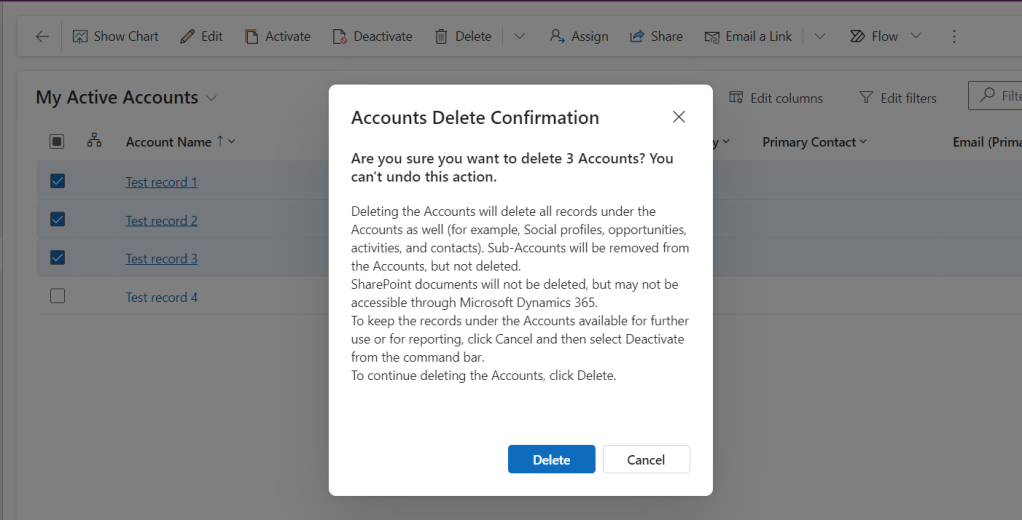
- I’ve deleted above selected records from Accounts.
- Now, go to admin center again. Select your environment and navigate to settings again.
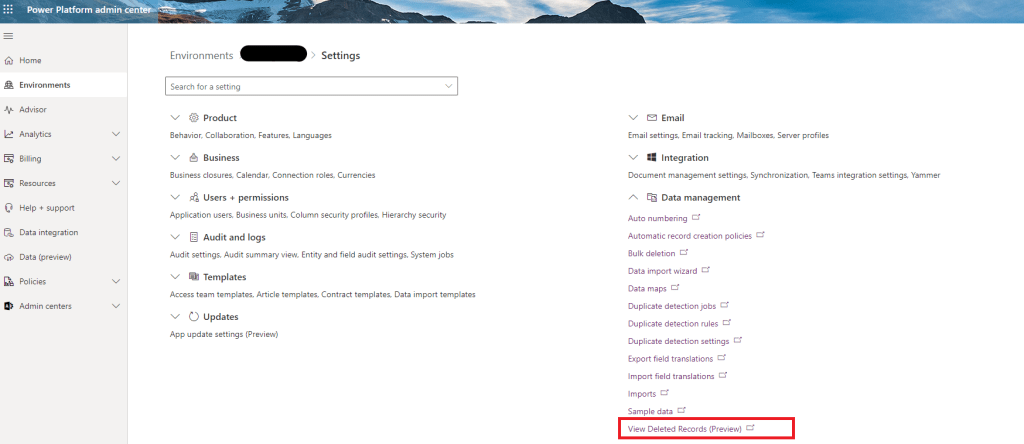
- Now expand Data management section and click on “View Deleted Records (Preview)”.
- Next, you’ll see the deleted records. Once you’ve selected any or all the records, you’ll be able to see the ‘Restore’ button. Click on it to initiate the restoration process.
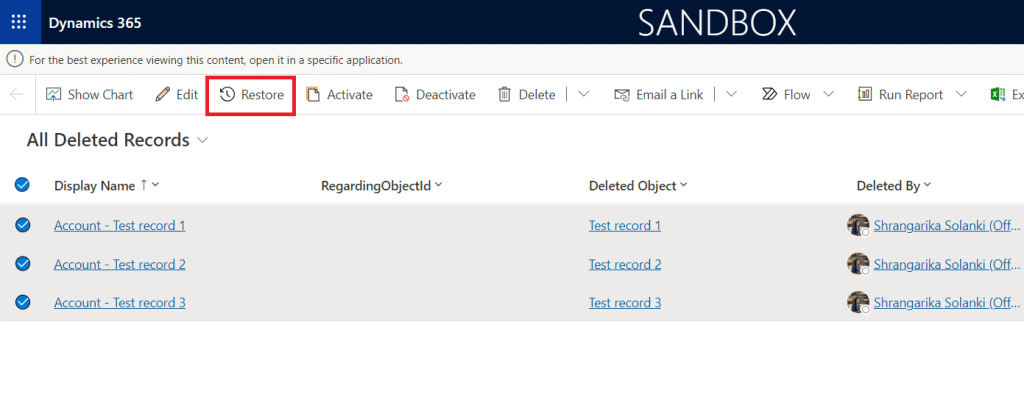
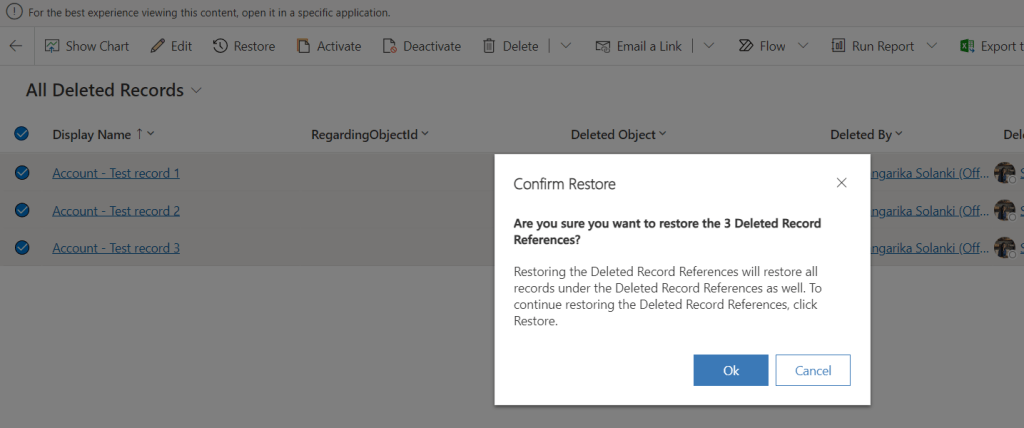
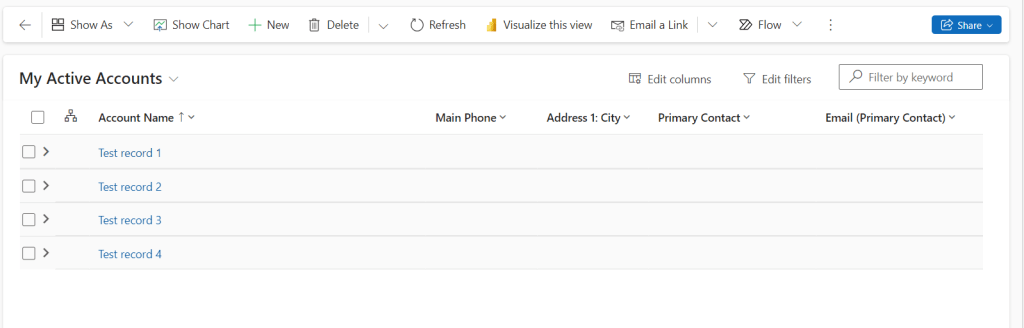
- Hurray! We restored our deleted records.
Note:
- This feature is currently in preview and it’s not recommended to use it in Production environments immediately.
- You can only recover data within the timeframe you have specified, with a maximum recovery period of up to 30 days from the date of deletion.
By leveraging this new feature, users can confidently manage and recover their data within Dataverse, enhancing their overall productivity and data management capabilities. Thanks for reading! Enjoy!!
#Let’s_Learn_Together
Stay tuned with Power Spark for continuous learning.
Thank you 🙂

 Power Spark
Leave a comment