
Namaste everyone,
I hope you’re all well! Most of you are probably familiar with lookup fields in tables. They serve multiple purposes:
- Establishing relationships between tables.
- Providing easy navigation to selected records in the lookup field.
However, did you know you can also customize lookup fields to display as forms? This feature offers unique benefits, allowing users to edit selected lookup entity records directly within the form.
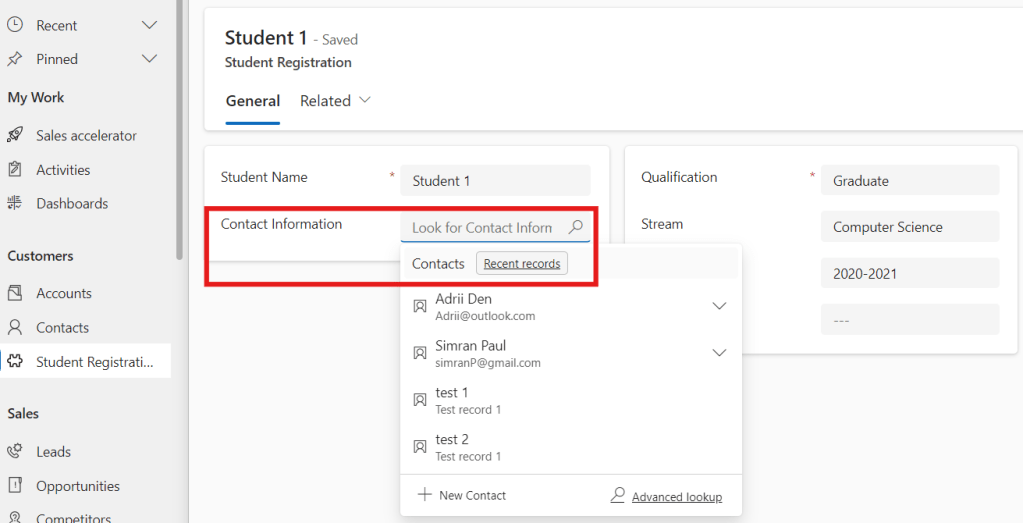
- In my “Student Registration” table, I’ve included a lookup field named “Contact Information” connected to the “Contact” table.
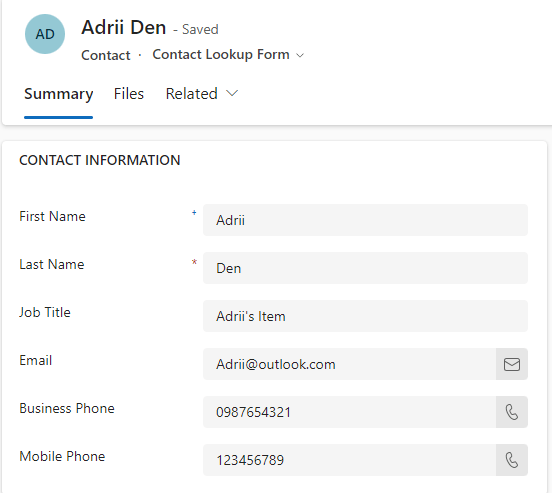
- In “Contact” table, I’ve created a “Contact Lookup Form” which we will later show on “Student Registration” form.
Let’s walk through the step-by-step process of how to customize it:
- Goto Power Apps.
- Make sure you’re in the correct environment and solution.
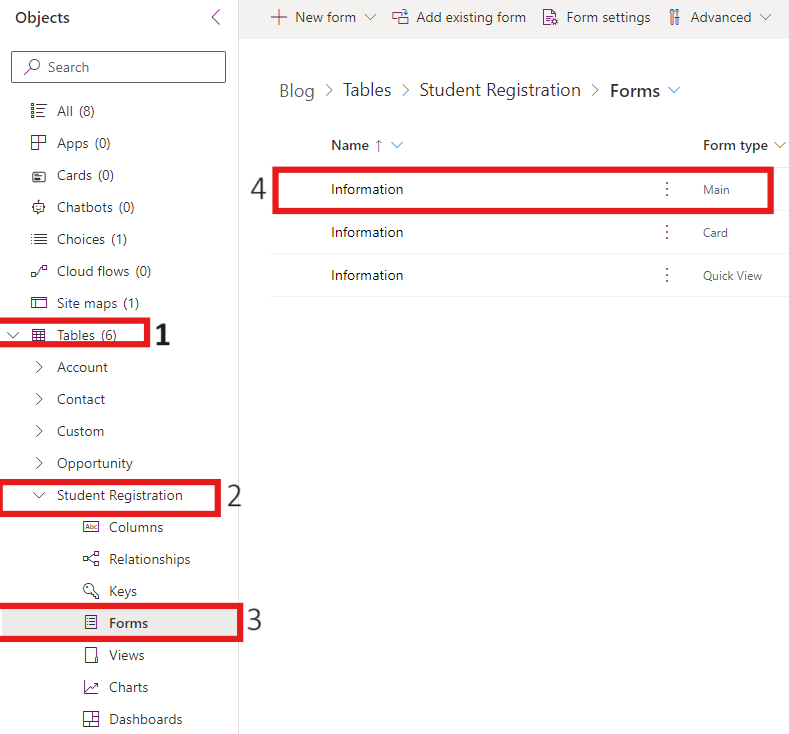
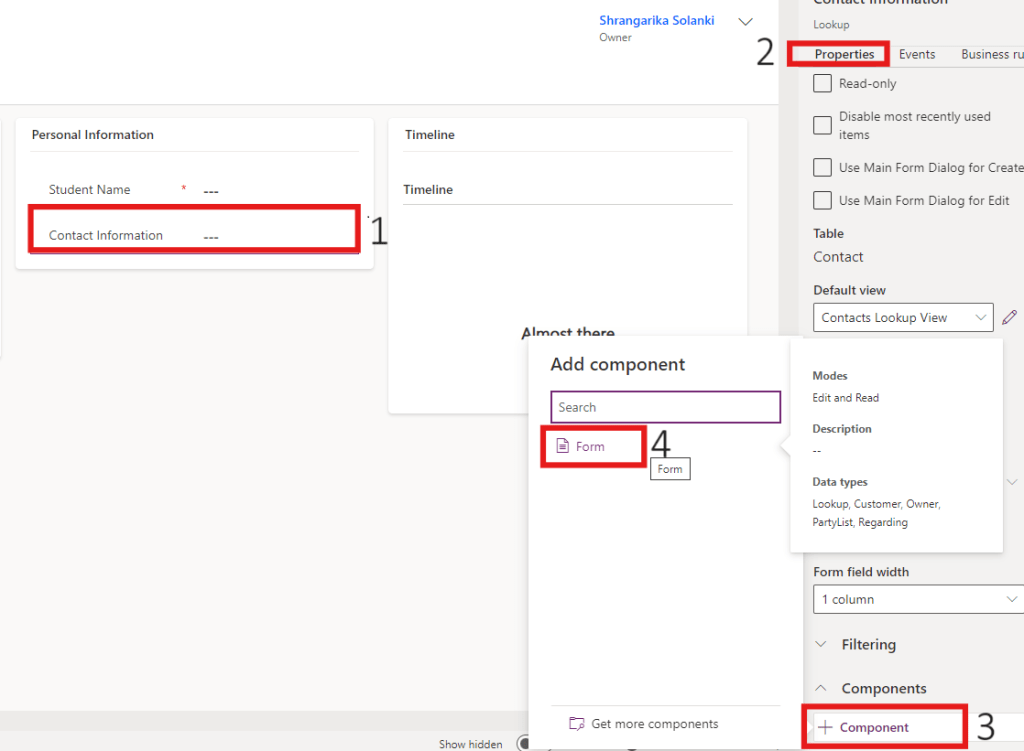
- Now, expand tables and select “Student Registration” table.
- Click on Forms >> Information (Main Form).
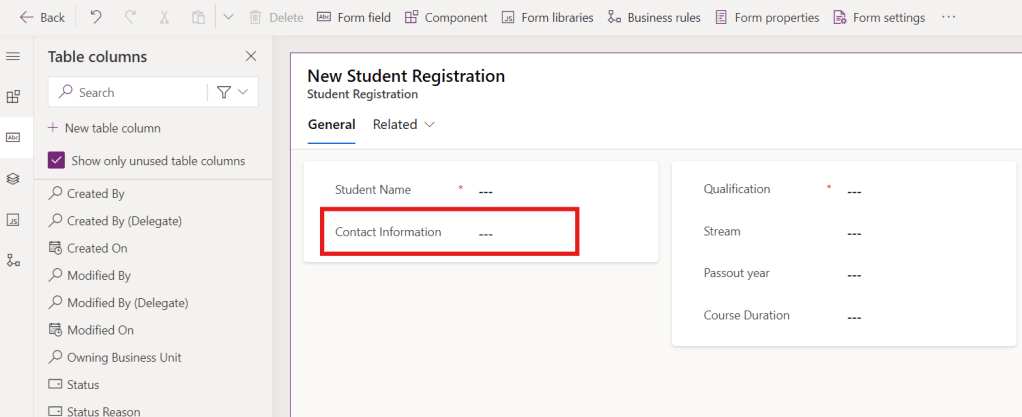
- Select lookup field (Contact Information).
- In the properties pane, scroll down and click on +Component >> Form.
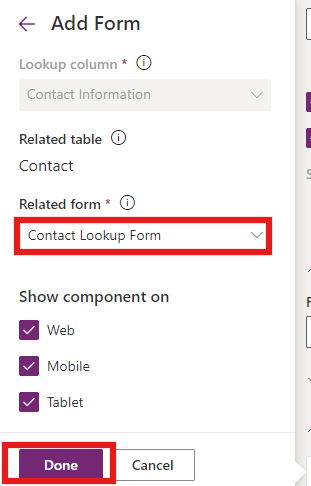
- Now, select the form under “Related Form” field which you have created to show on this table, here I’m using “Contact Lookup Form” then click on Done.
- Click on Save and Publish.
- Here, I am adding the same field “Contact Information” again with default (lookup) type so that we can select the record in that field.
Output:
Here, you will be able to see the “Contact Lookup Form” on “Student Registration Table”.
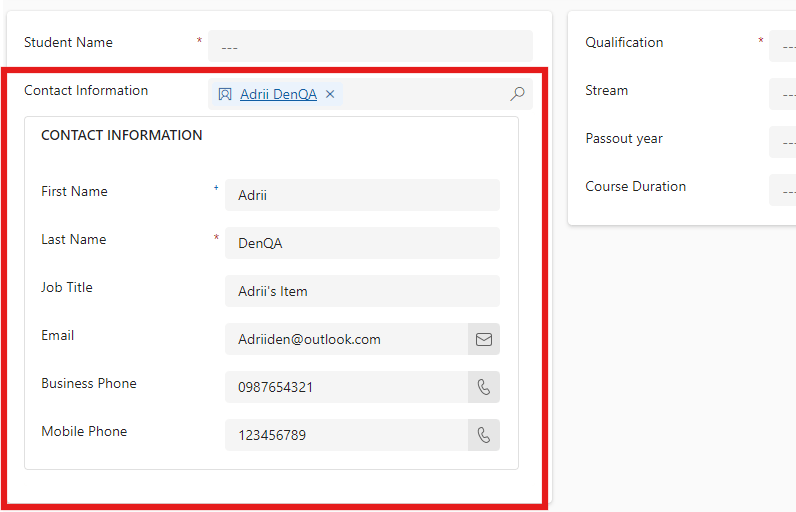
Now, if you make any change here, the changes will directly be made to lookup entities selected record. As an example, let’s change the email address:
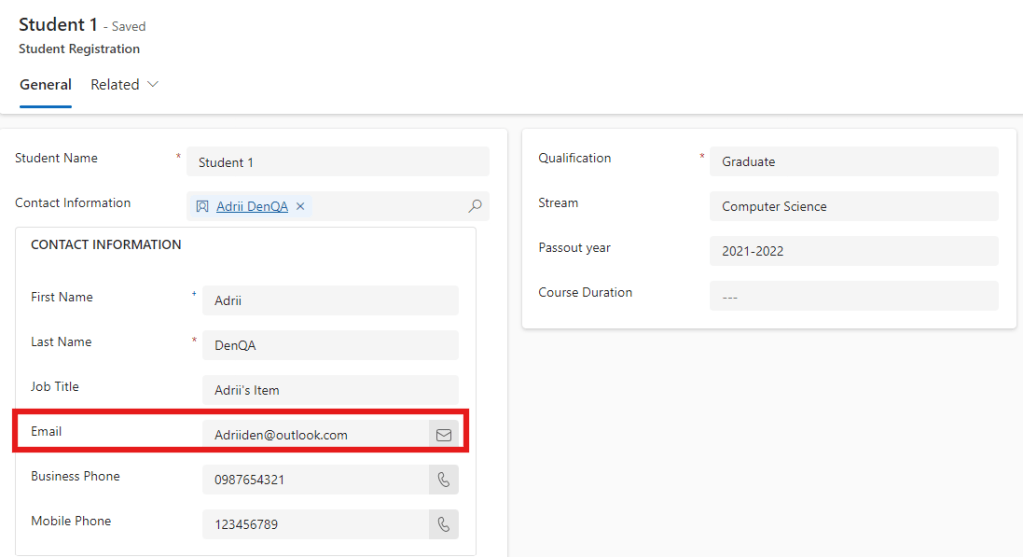
Navigate to the Contact entity and see the updated changes:

As you may see above, changes are updated on Contact record too. 😊
Hope it helps!

 Power Spark
Leave a comment