
Today we will learn about a new feature of Power Automate called “Describe it to design it or Edit with Copilot”.
In a traditional way, it is very time consuming to build a cloud flow from scratch but using this new feature, we just need to describe our requirements in multiple steps of conversation and your basic structure of cloud flow will be ready in a click.
First, let’s understand what this amazing feature can do:
- This can create a flow by reading the requirements we have provided.
- Using this feature, we can update a flow or delete/replace any action or step.
- This feature can also set up connections.
- It can also answer your questions. For example – What your flow does etc.
Let’s play around this feature😊
Step 1: Go to make.powerautomate.com
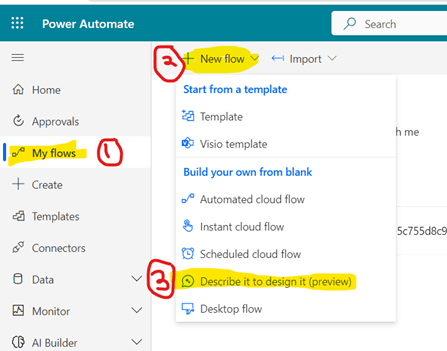
Step 2: Click on My Flows >> +New Flow >> Describe it to design it (Preview)
Step 3: Now, you need to describe your requirements and hit the arrow.

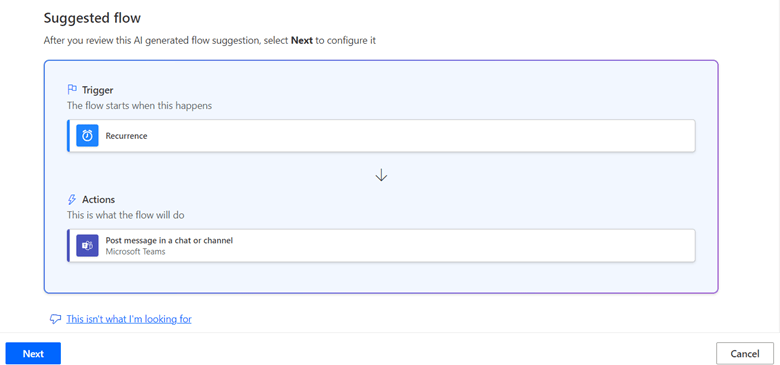
Step 4: Here, I have selected an example from the suggestion which is “Send an automatic message to a Teams channel once every week”. As soon as you type your requirement and hit the enter button, you will see suggested flow as shown below with the use of AI. Click “Next”.
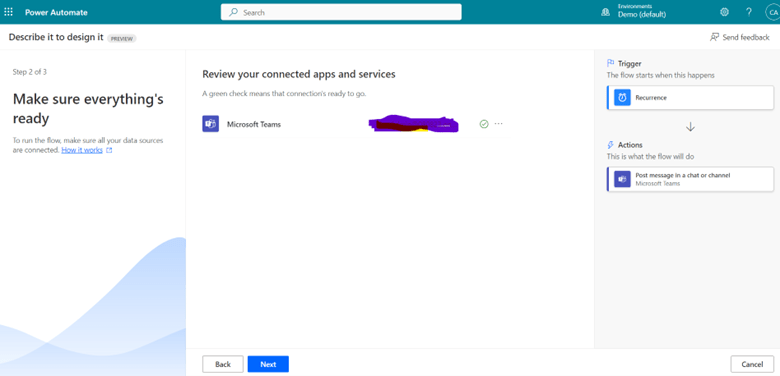
Step 5: Select the connection from the suggestion which you want to use in your flow and click “Next”.
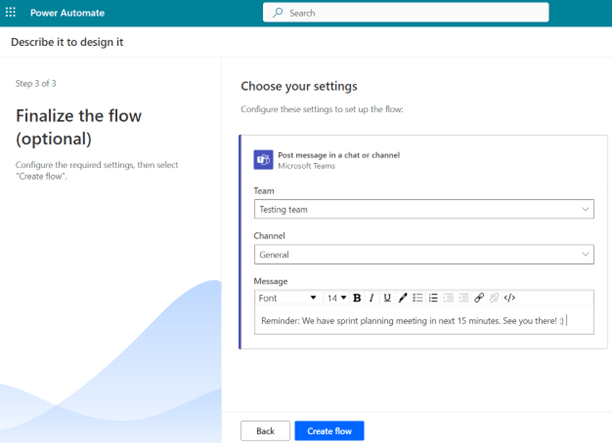
Step 6: Now, select the team, channel and add a message which you want to send in a teams channel in your scheduled time. Click on “Create Flow”
Step 7: Click on “Recurrence” and add Day and Time when you want to send that message and Click Save.

Output:
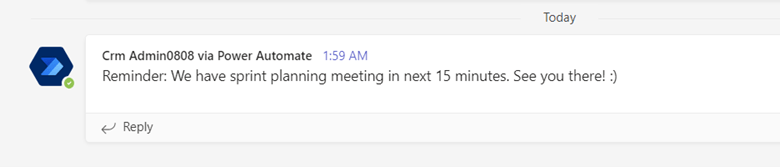
Now, on your scheduled time, you will receive a message in your team’s channel:
Hope it helps and stay tuned for Part-2 where we will learn to update the existing cloud flow.
Thank You! 🙂
#Let’s learn together

 Power Spark
Leave a reply to {Preview Feature} AI-Powered “Edit with Co-pilot” in Power Automate – Part 2 – Power Spark Cancel reply