
Hello everyone,
Hope you all are doing good!
In our last blog, we learnt how to add lists on Power Pages and how to set permissions to display records on site. If you haven’t checked it yet then click here to check it out.
In this blogpost, we will learn to add forms on our Power Pages.
Power Pages enables you to incorporate form components into a page, allowing users to create, edit, or view records in Microsoft Dataverse. These forms are derived from Microsoft Dataverse table forms.
We’ll explore:
- Create a form
- Add a form to a page
Create a form:
Below are the steps to create a form.
- Goto Power Pages.
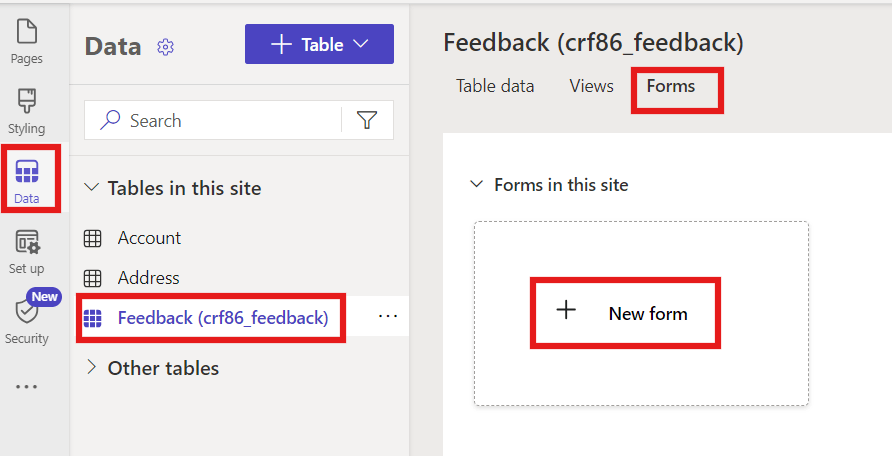
- In the data workspace, navigate to the Feedback table and click on the Forms tab and select “+New Form”
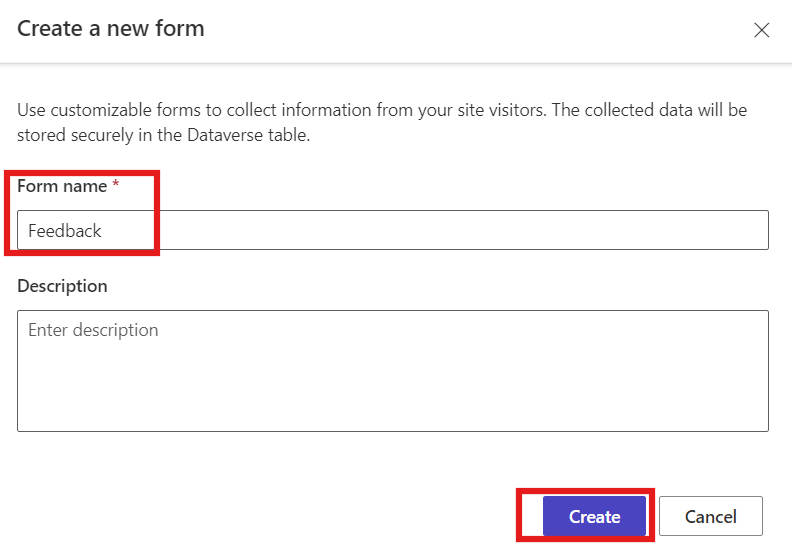
- Give a name to your form and click on “Create”. (Best practice is to always give meaningful description to your component)
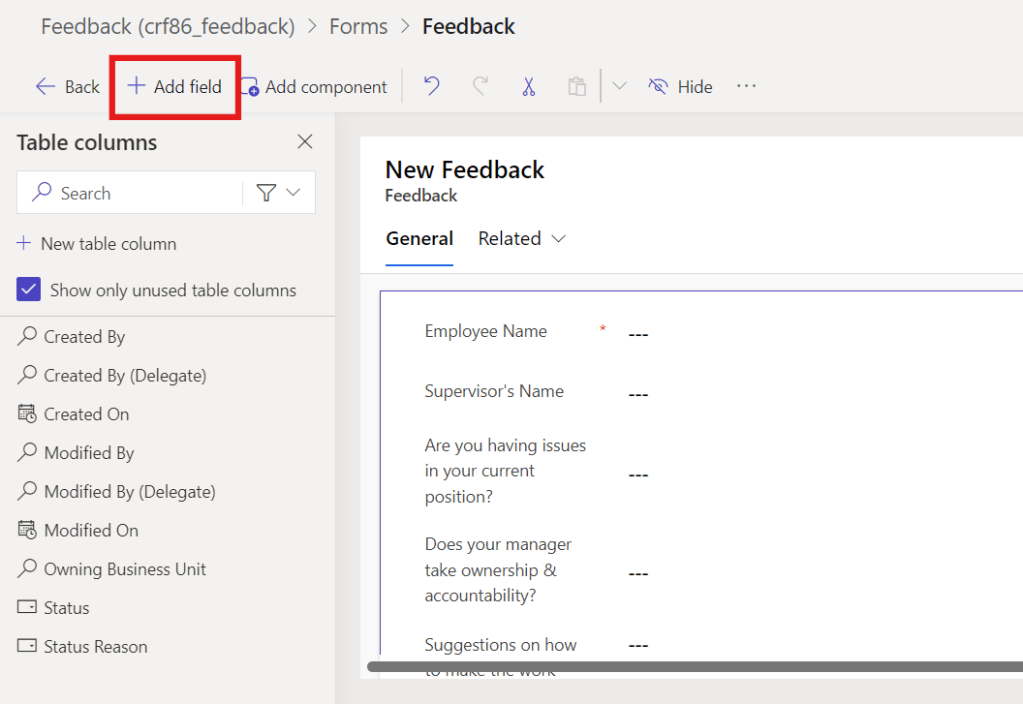
- Now drag fields to the form by clicking on “Add Field” option.
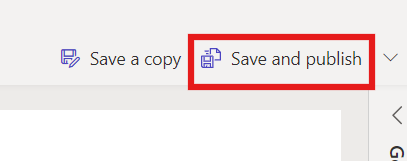
- Click on “Save and Publish” form to save and publish the changes.
Add a form to Page:
As we have now created a form for the Feedback table, let’s add a form to our Page. Kindly follow below steps:
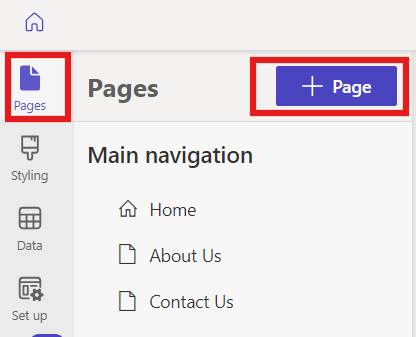
- In the Power Pages Design Studio, click on Pages then +Page.
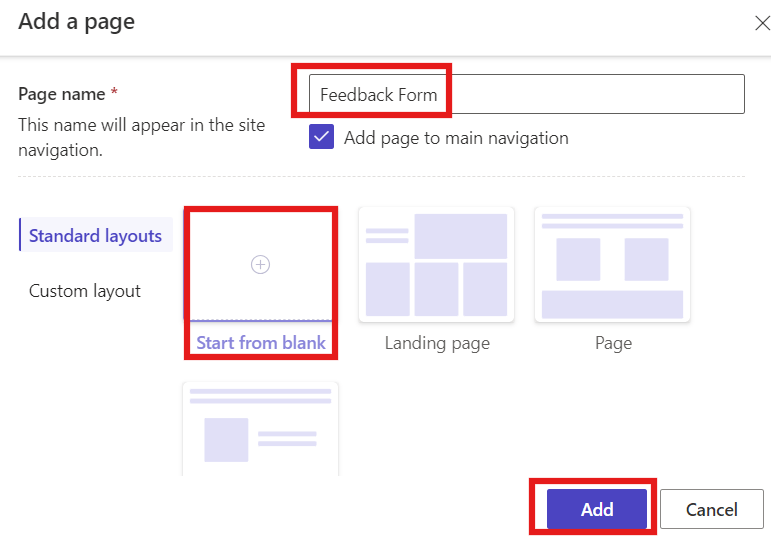
- Give the page a name and select “Start from Blank” then click on “Add” as shown below.
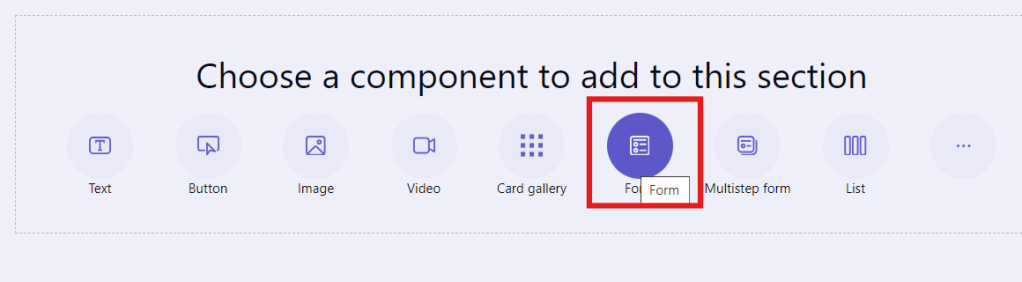
- Select form in the Component bar.
- Select +New Form
- Now, select the “Feedback table” under choose a table option, select form you’ve created earlier under “Select a form” option and click OK.
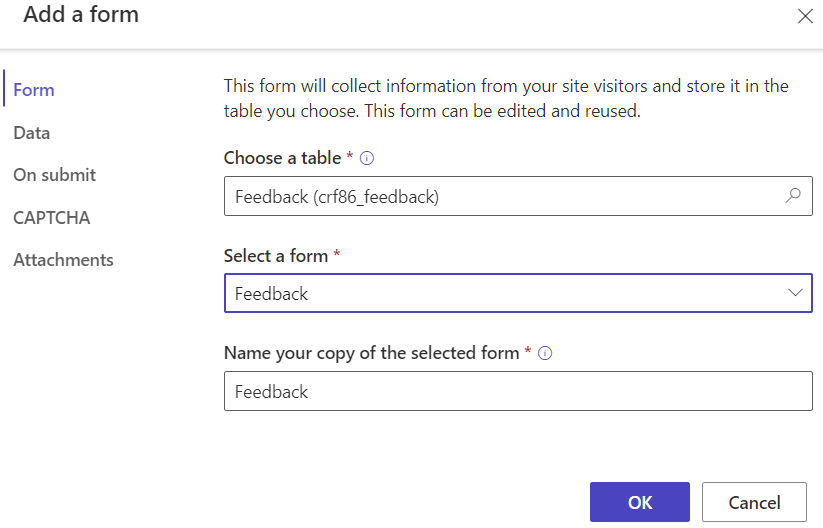
- Click on Sync then Preview. A feedback form which you have just configured will be shown on your site.
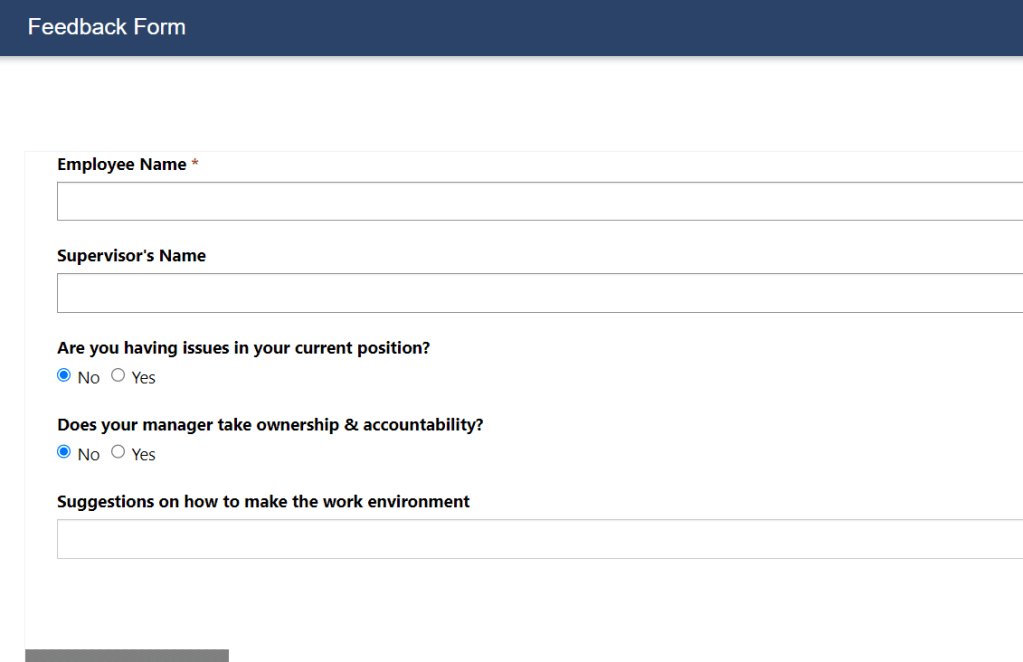
Hope by following the above step-by-step process, you get an idea to add a form to the page.
In case of any queries, please leave a comment in the comments section and if you found this blog useful then do share it in your connections.
Thanks for reading!
Stay tuned with Power Spark for continuous learning.
#Let’s_Learn_Together #Microsoft #D365 #PowerPlatform #PowerApps #PowerPages #Learn

 Power Spark
Leave a reply to [Power Pages] – How to enable code components on form in Power Pages? – Power Spark Cancel reply