
Hello everyone,
Hope you all are doing great!
In today’s blogpost, we will learn how to hide/show pages using page permissions in Power Pages. When building your website, you might want to restrict access to certain pages, allowing only specific users or roles to view them.
Why use Page Permissions?
Page permissions are essential for:
- Maintaining security: Prevent unauthorized access and potential security breaches.
- Protecting sensitive information: It ensures that only authorized users can access confidential data.
- Enhancing user experience: Provide a personalized experience by showing relevant content to different user roles.
How to create page permissions?
Below are the steps to configure page permissions to restrict access to a specific page.
- Login to Power Pages.
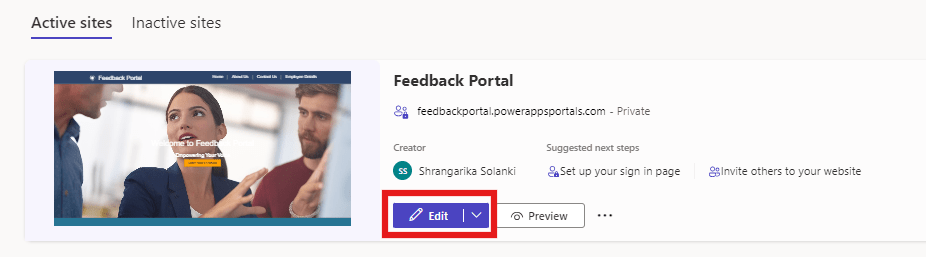
- Select your Active Site and click on “Edit”.
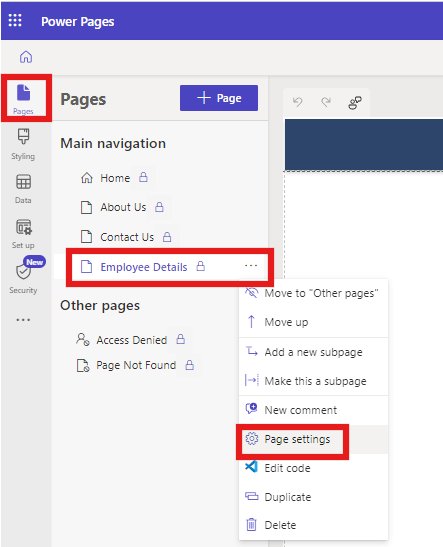
- Select “Pages” then click on three dots next to the page and select “Page Settings”.
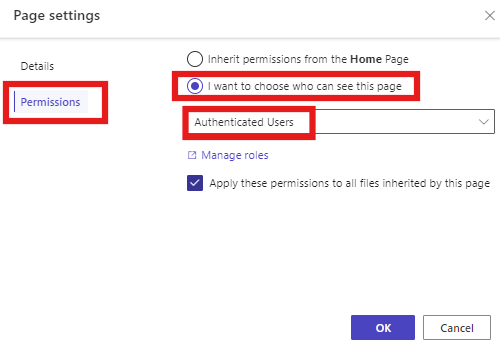
- Select “Permissions” and select “I want to choose who can see this page”. As soon as you select this option, the dropdown below will be enabled and then select “Authenticated users”.
- Click “OK”.
- “Sync” the changes.
Check the Output:
Let’s access the site in incognito window or you may directly can “Preview” from design studio.
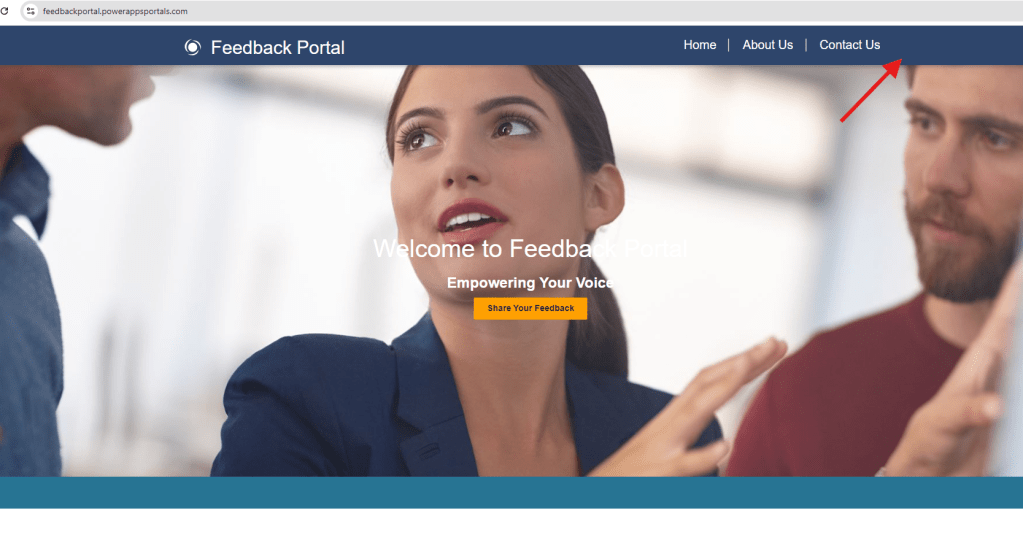
When no user Signed In – Here, I am accessing the site as an anonymous user and the web page we’ve protected earlier is not visible here in the main menu.
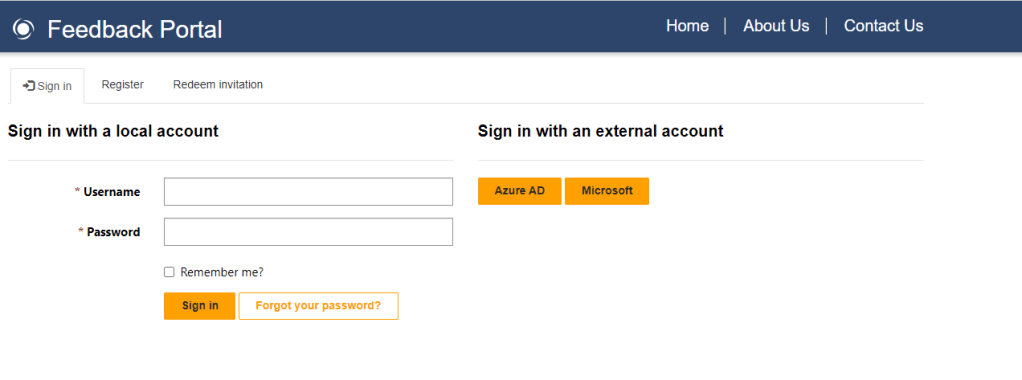
Now, Let’s sign in to the site and see the results.
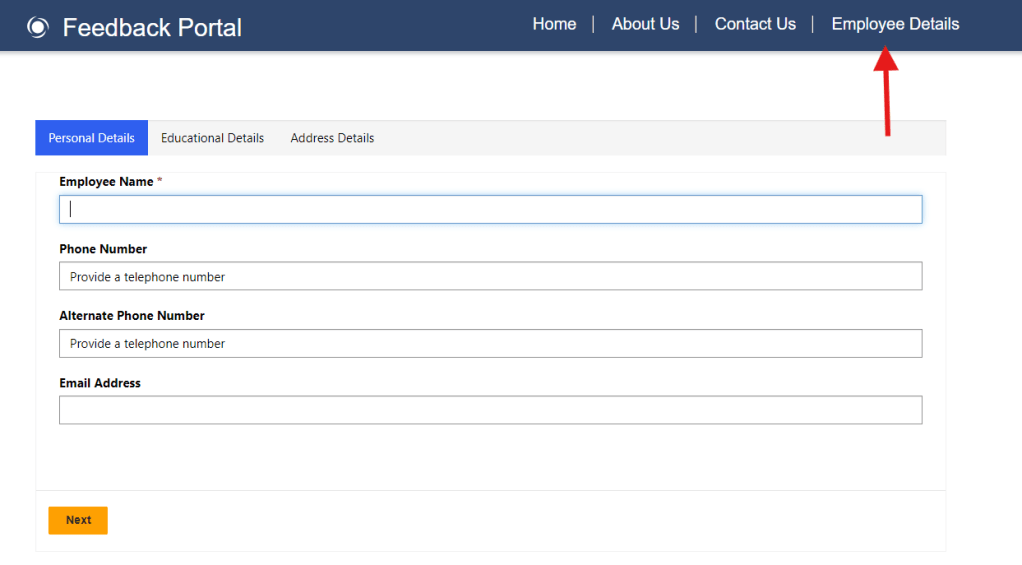
Once done, you will be able to see the “Employee Details” page which we have secured.
I hope by following the above step-by-step process of setting up page permissions, you get an idea how to ensure secure page access on the Power Pages site.
If you find this blog useful, please like, share and subscribe to my channel for continuous learning.
Thanks for reading. 🙂
#Let’s_Learn_Together #D365 #Msftadvocate #PowerPagesLearning #Microsoft #PowerApps #Learning


 Power Spark
Leave a reply to Shrangarika Solanki Cancel reply