

Hi Everyone,
Hope you are doing great!
When you create flows in Power Automate, you often pass sensitive information like passwords, tokens, or financial data between actions. If you share the flow with your team or monitor it in Run History, these values may be visible in plain text.
To protect sensitive data, Power Automate provides the option to secure inputs and outputs.
In this blog, we will cover:
- What are secured and unsecured outputs
- Why you should use them
- How to configure step by step
- Real-life scenarios
What are Secured and Unsecured Outputs?
- Unsecured Outputs:
- The default behavior
- All action inputs/outputs are visible in Run History and Peek Code
- Not safe for sensitive information
- Secured Outputs:
- Mask inputs/outputs in Run History
- Keeps sensitive data hidden from other users
- Recommended for passwords, API keys, and confidential data
Example
Imagine you have an HTTP Action that sends an API key in the body:
- Unsecured → Anyone with flow access can open Run History and see the API key.
- Secured → API key is masked with asterisks (*).
Why Secure Outputs?
Securing inputs and outputs prevents:
- Unauthorized users from seeing confidential data
- Accidental data leaks when sharing flow ownership
- Compliance with data privacy requirements (GDPR, ISO)
How to Secure Outputs Step by Step
Here’s how you can configure secure inputs/outputs in your flow:
- Go to Power Automate Portal → My Flows
- Select the flow you want to secure
- Find the action that handles sensitive data
Example: Dataverse – Create Record, HTTP Actions or Compose holding secret. - Click the ellipsis (⋮) on the action → Select Settings
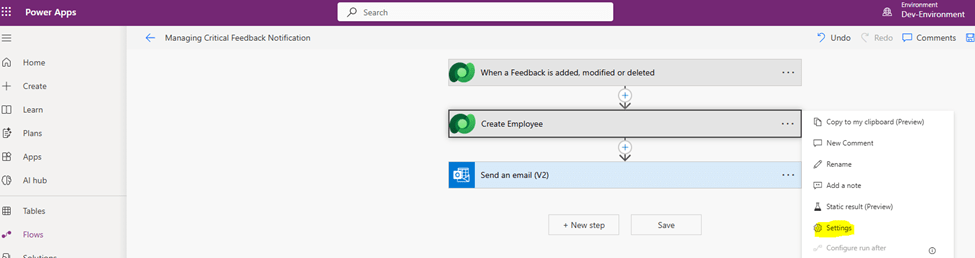
5. Scroll to Secure Inputs and Outputs section
6. Turn on Toggle for:
Secure Inputs → Hides input values in Run History
Secure Outputs → Hides output values in Run History
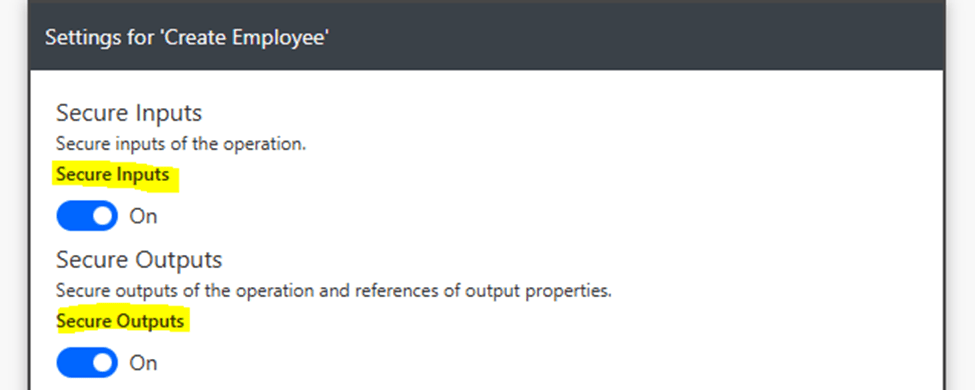
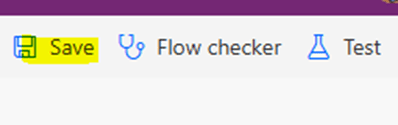
- Click Done and Save Flow
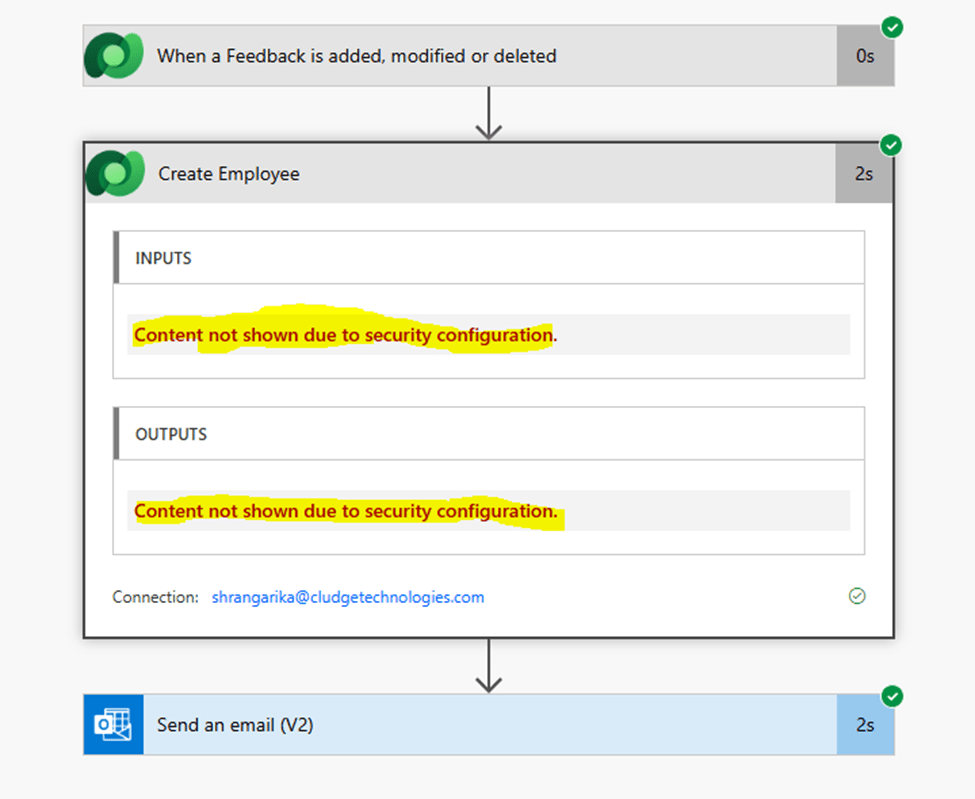
8. Run the flow with sensitive data
- Check Run History → You’ll see input and output values as below
Real-Life Scenarios
- Storing Passwords:
- Secure output for actions where passwords are passed
- HTTP API Calls:
- Hide API keys or tokens from output
- Dataverse or SQL Queries:
- Mask confidential customer information
Summary
Secured Outputs in Power Automate protect your data by hiding sensitive information from logs and run history.
- Unsecured Outputs → Data is visible to all flow users
- Secured Outputs → Data is masked and safe
By using Secure Inputs & Outputs, you enhance your flow security and meet compliance requirements.
I hope this information is helpful.
Please subscribe my channel for continuous learning.
Thanks for reading.
#Let’s_Learn_Together


 Power Spark
Leave a reply to Rudrapratap Singh Chouhan Cancel reply